Open source · MIT · Windows 10 & 11

Automated Keyboard Presser.

Press keys automatically on your schedule without writing a single macro. Set intervals, choose which keys, and let it run while you focus on other tasks. No dependencies, no bloat—just straightforward key automation for Windows.

No data collectionNo ads or trackingCompletely free foreverv1.0
Scheduled key pressingMultiple key supportLightweight toolOpen sourceWindows native
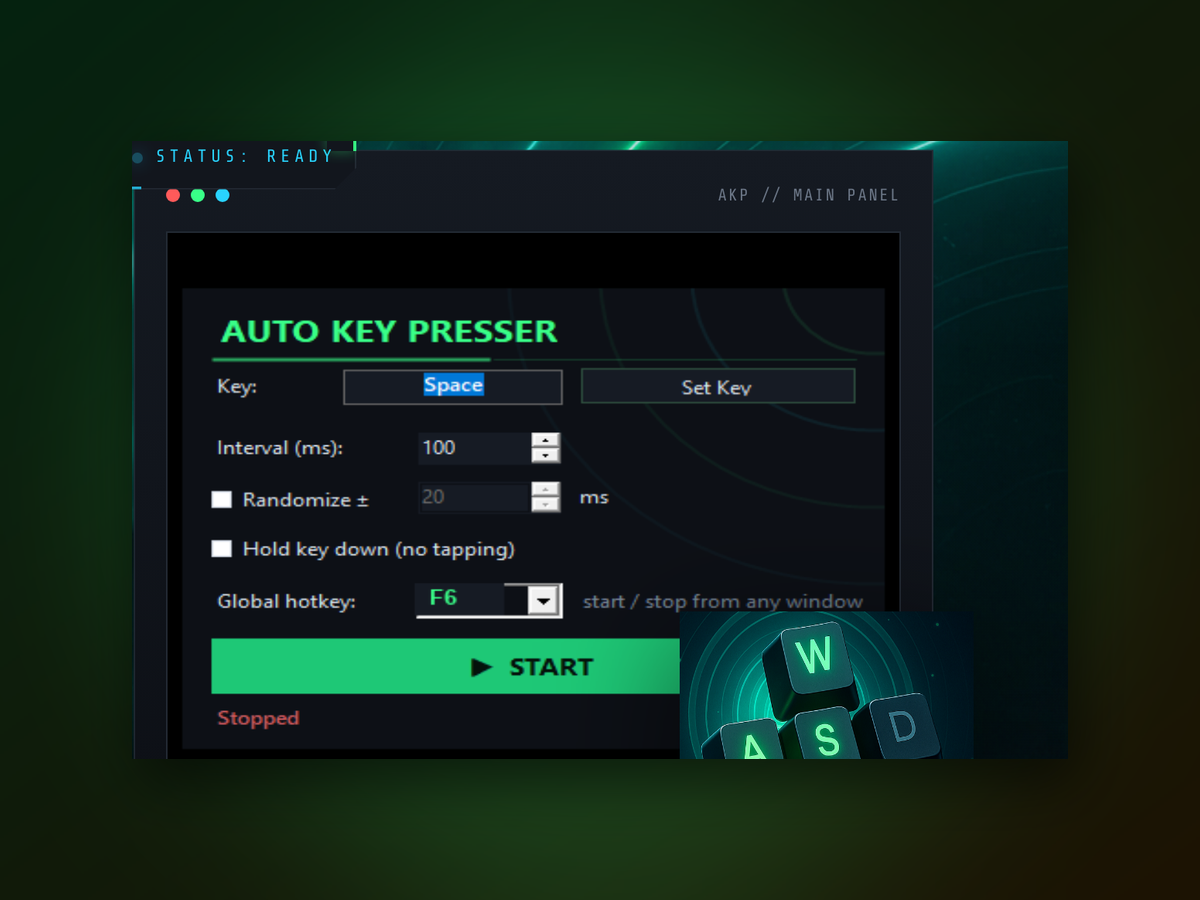
Automated Keyboard Presser app window on Windows
Quick start

Get started in four steps.

Setup takes less than a minute.

  1. Download the toolGet the latest release from the repository and extract it to any folder on your PC.
  2. Launch and configureOpen the program, choose which key or key combination to press, and set the interval in milliseconds.
  3. Start the automationClick the button to begin, then switch to your target window or application.
  4. Stop anytimePause or stop the pressing with a single click whenever you're done.
Real-world results
Inside the appAutomated Keyboard Presser window

Watch it press keys exactly when you need them.

Automated Keyboard Presser executes your key sequence with consistent timing, every single time. Whether you're testing, automating repetitive input, or maintaining steady keystrokes, the output is predictable and reliable.

Precise timingKeys press at intervals you define, with no drift or randomness.
Any key combinationConfigure single keys, modifiers, or full sequences in one press.
Runs in backgroundStart the automation and switch to other windows without interruption.
Technical details

What you are downloading.

Version1.0
PlatformWindows 10 and 11, 64-bit
InstallPortable, no installer
LicenseMIT, source on GitHub
PriceFree, no account
LanguageEnglish
Why it's different

Why choose Automated Keyboard Presser over click-and-macro tools.

It's simpler, faster to set up, and built specifically for keyboard automation—not mouse clicking or complex recording workflows.

01

No learning curve

Pick your keys and interval—there's nothing else to configure. You don't need to understand macros, triggers, or scripting languages. Start automating in seconds.

02

Lightweight code

The tool is small, open-source, and has no hidden dependencies or background services. You see exactly what it does and can compile it yourself if needed.

03

Built for keyboards

Unlike generic automation suites, this tool focuses entirely on keyboard input. You get a focused feature set optimized for key pressing workflows.

04

Free, always

No trials, no limits, no paid tiers. Download the source or binary and use it as much as you need.

Your questions answered

Common questions about key automation.

Do I need to install anything first?

No. Download the file, extract it, and run. Windows may ask for permission the first time—that's normal for unsigned applications.

Can I press multiple keys at once?

Yes. Configure key combinations including modifiers like Ctrl, Shift, and Alt.

What if I want different intervals for different keys?

You set one interval per session. For complex sequences with varying timing, you would need to run separate instances or adjust between sequences.

Does it work in games?

It sends keyboard input to Windows, so it works wherever keyboard input is recognized. Some games with anti-cheat software may block it.

Can I set it to run on a schedule?

The tool itself is an on-demand presser. You start and stop it manually, but you can pair it with Windows Task Scheduler for automated launching.

Is my data safe?

The tool runs entirely offline on your PC. It doesn't send anything anywhere and has no network access.

What Windows versions does it support?

It's built for modern Windows (10 and 11). Older versions may work but are not officially tested.
Start automating your keypresses right now.

Download Automated Keyboard Presser and set up your first automation in seconds.

Download for Windows
Latest release · v1.0